As an Amazon affiliate, we earn from qualifying purchases.
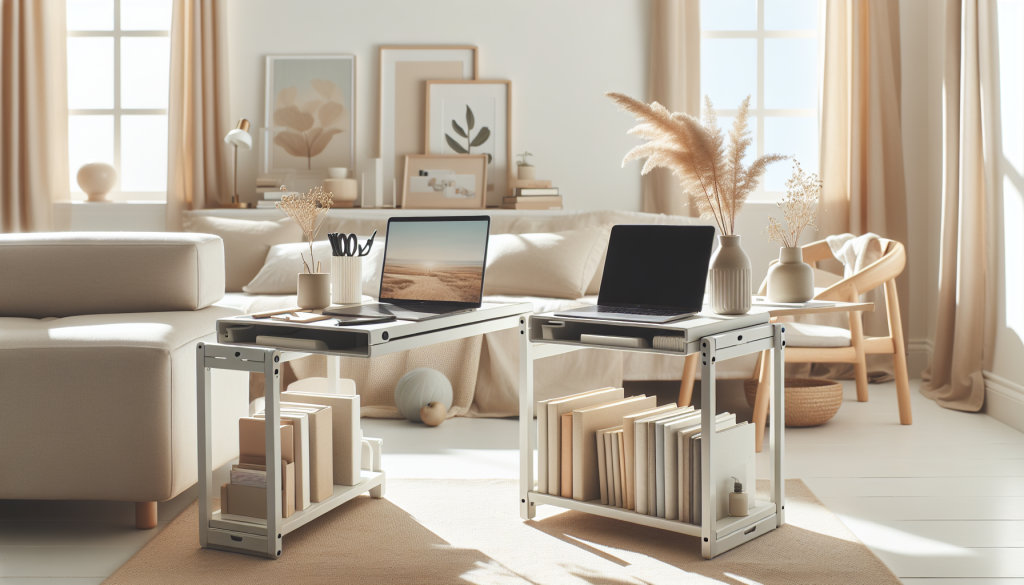
Laptop stands with built-in storage solve two problems at once: elevating your screen to eye level while keeping your desk organized. Whether you need a drawer for office supplies, a compartment for charging cables, or vertical slots for notebooks, these stands combine ergonomic design with practical storage solutions that help you reclaim valuable desk space.
After testing dozens of options, we’ve identified the best laptop stands with built-in storage that actually deliver on both fronts.
Quick Picks
- Best Overall: Laptop Stand with Storage Drawer – heavy-duty metal with angle adjustment
- Best Rotating: Moallia Laptop Stand with 360 Rotating Base – perfect for collaborative work
- Best Vertical: Dual Vertical Laptop Stand – saves maximum desk space
- Best Multi-Tier: OPNICE 2-Tier Metal Monitor Stand – dual storage levels with drawer
- Best Premium: NB North Bayou Laptop Mount – full-motion arm with adjustable tray
Laptop Stand with Storage Drawer
Key Benefits:
- Heavy-duty metal construction supports up to 44 pounds
- Built-in drawer keeps pens, sticky notes, and accessories organized
- Adjustable height and angle for personalized ergonomics
- Non-slip silicone pads protect your laptop and desk surface
Best for: Home office workers who need a sturdy stand with convenient storage for daily essentials. Fits laptops from 10 to 16 inches.
Moallia Laptop Stand with 360 Rotating Base
Key Benefits:
- 360-degree rotating base for easy screen sharing
- Metal construction with sleek modern design
- Open storage compartment underneath for notebooks and tablets
- Raised height improves posture and reduces neck strain
Best for: Collaborative work environments where you frequently need to show your screen to colleagues or clients. The rotating feature makes presentations effortless.
Laptop Docking Station Stand 8-in-1 USB C Hub
Key Benefits:
- Integrated 8-in-1 USB-C hub with HDMI and multiple ports
- Combines stand and docking station in one device
- Cable management keeps cords organized and hidden
- Portable design folds for easy transport
Best for: Digital nomads and remote workers who need connectivity and elevation in a single compact solution. Perfect for minimalist setups.
Simple Trending 2-Tier Metal Monitor Stand with USB Ports
Key Benefits:
- Two-tier design maximizes vertical storage space
- Built-in USB 2.0 ports and charging capabilities
- Lower shelf stores keyboard, notebooks, or office supplies
- Sturdy metal construction supports multiple devices
Best for: Users who want both laptop elevation and monitor riser functionality with convenient USB charging access. Great for dual-screen setups.
WALI Computer Monitor Stand with Storage Drawer
Key Benefits:
- Affordable option with practical drawer storage
- Built-in pen holder keeps writing tools within reach
- Three height adjustment levels for custom positioning
- Ventilated design promotes airflow for laptop cooling
Best for: Budget-conscious users who need basic elevation and organization without sacrificing quality. Works for both laptops and monitors up to 27 inches.
tounee Telescopic Laptop Stand with 360 Swivel Base
Key Benefits:
- Telescopic design adjusts from sitting to standing heights
- 360-degree swivel base for flexible positioning
- Portable and lightweight for easy relocation
- Under-platform storage area for documents and accessories
Best for: Users who alternate between sitting and standing throughout the day. The wide height range makes it ideal for standing desk converters.
NB North Bayou Laptop Mount with Full Motion Arm
Key Benefits:
- Full-motion articulating arm with adjustable tray
- Fits laptops from 10 to 17 inches
- VESA plate allows dual-monitor compatibility
- Cable management channels keep cords organized
Best for: Power users who need maximum adjustability and want to mount their laptop alongside a monitor. Professional-grade build quality for demanding workflows.
OPNICE 2-Tier Metal Monitor Stand with Drawer
Key Benefits:
- Two-tier design with drawer and dual pen holders
- Ventilated perforated surface prevents overheating
- Lower tier stores keyboard or documents when not in use
- Powder-coated metal resists scratches and wear
Best for: Organized professionals who want dedicated spots for every office item. The pen holders and drawer eliminate desk clutter completely.
Dual Vertical Laptop Stand 3-in-1 Upright Holder
Key Benefits:
- Vertical design saves maximum desk space
- Adjustable dock fits laptops up to 17.3 inches
- Premium leather construction adds elegance
- Holds two laptops or one laptop plus a tablet
Best for: Users with limited desk space who need to store multiple devices vertically. Perfect for closed-laptop clamshell mode with external monitors.
KDD Vertical Laptop Stand with Drawer
Key Benefits:
- 7-in-1 space-saving design with integrated drawer
- Gravity locking mechanism secures laptop in place
- Compatible with MacBook, Dell, HP, and Chromebook models
- Drawer holds cables, dongles, and small accessories
Best for: Users who want vertical storage with the added convenience of a drawer for charging cables and adapters. The gravity lock provides secure device holding.
Who This Is NOT For
Laptop stands with built-in storage aren’t ideal for everyone. If you frequently move your laptop between locations throughout the day, a simple portable stand without storage might be more practical. Users who prefer completely minimalist desks with zero visible accessories may find storage compartments unnecessary. Those with extremely large laptops over 17 inches should verify compatibility carefully, as some stands have size limitations. If you need heavy-duty cable management beyond basic storage, a dedicated docking station might serve you better.
Not the right fit? Browse more options on Amazon
Not the right fit? Browse more options on Amazon
Quick Comparison Table
| Product | Pros | Cons |
|---|---|---|
| Laptop Stand with Storage Drawer | Heavy-duty metal construction supports up to 44 pounds | Limited to 10-16 inch laptops |
| Simple Trending 2-Tier Metal Monitor Stand with USB Ports | Two-tier design maximizes vertical storage space | Only USB 2.0, not 3.0 |
| tounee Telescopic Laptop Stand with 360 Swivel Base | Telescopic design adjusts from sitting to standing heights | Lightweight may compromise stability |
| OPNICE 2-Tier Metal Monitor Stand with Drawer | Two-tier design with drawer and dual pen holders | |
| KDD Vertical Laptop Stand with Drawer | 7-in-1 space-saving design with integrated drawer | Vertical orientation only |
How to Choose Laptop Stands with Built-In Storage
Start by measuring your laptop dimensions and verifying compatibility with the stand’s specifications. Consider your storage needs: drawers work best for pens and sticky notes, shelves accommodate notebooks and keyboards, and vertical slots save maximum space for closed-laptop setups. Evaluate your workspace constraints and whether you need horizontal elevation or vertical storage. Check the stand’s weight capacity to ensure it supports your laptop model safely. Consider additional features like adjustable height, rotating bases, or integrated USB ports based on your workflow requirements. Material quality matters for longevity; metal stands typically outlast plastic alternatives.
Common Mistakes to Avoid
- Choosing a stand without measuring laptop dimensions first
- Overlooking ventilation needs for laptops that run hot
- Selecting stands with storage that blocks ports or vents
- Ignoring adjustability features that improve ergonomics
- Buying vertical stands for laptops you need to access frequently
- Underestimating how much storage space you actually need
- Not considering cable routing options for clean setups
Final Verdict
The Laptop Stand with Storage Drawer delivers the best combination of sturdy elevation and practical storage for most users. Its heavy-duty construction, adjustable positioning, and convenient drawer make it the top choice for laptop stands with built-in storage. For users seeking premium flexibility and dual-device capability, the NB North Bayou Laptop Mount offers professional-grade adjustability with superior cable management. Both options prove that laptop stands with built-in storage can be functional, ergonomic, and aesthetically pleasing.
Related Guides
- Best Headphone Stands For Home Office Desks
- How To Set Up A Homework Station For Kids
- Best Cable Management Solutions
- Best Work From Home Desk Accessories
- Best Pen And Pencil Cup Organizers For Desks
Still exploring? See more options on Amazon
Still exploring? See more options on Amazon